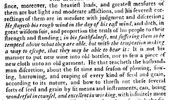
No problem. Actually, with our site's software, one need only select a portion of a book, image, etc., then just copy and paste it into a post. No need for any saving of the file and uploading it.
So just use Windows Snipping tool (or ABBY FineReader's nice Screenshot Reader that I always keep open on the task bar.
Windows Snipping tool:
"C:\Windows\System32\SnippingTool.exe"
1. Open a pdf doc
2. Open Snipping Tool so that it is now atop the pdf doc
3. Set tool's Mode to "Rectangular Snip", then select "New"
4. Now just drag and select a portion of the doc
5. Snipping tool reverts to show what was selected
6. From the tool's menu bar select "Edit", then "Copy"
7. Paste what was just copied into a PB post editing window
Magical!